

RuneScape: Dragonwilds Platforms, Crossplay and System Requirements
Which four platforms run the game, where to buy it on each, how to enable crossplay, and the official minimum and recommended specs.

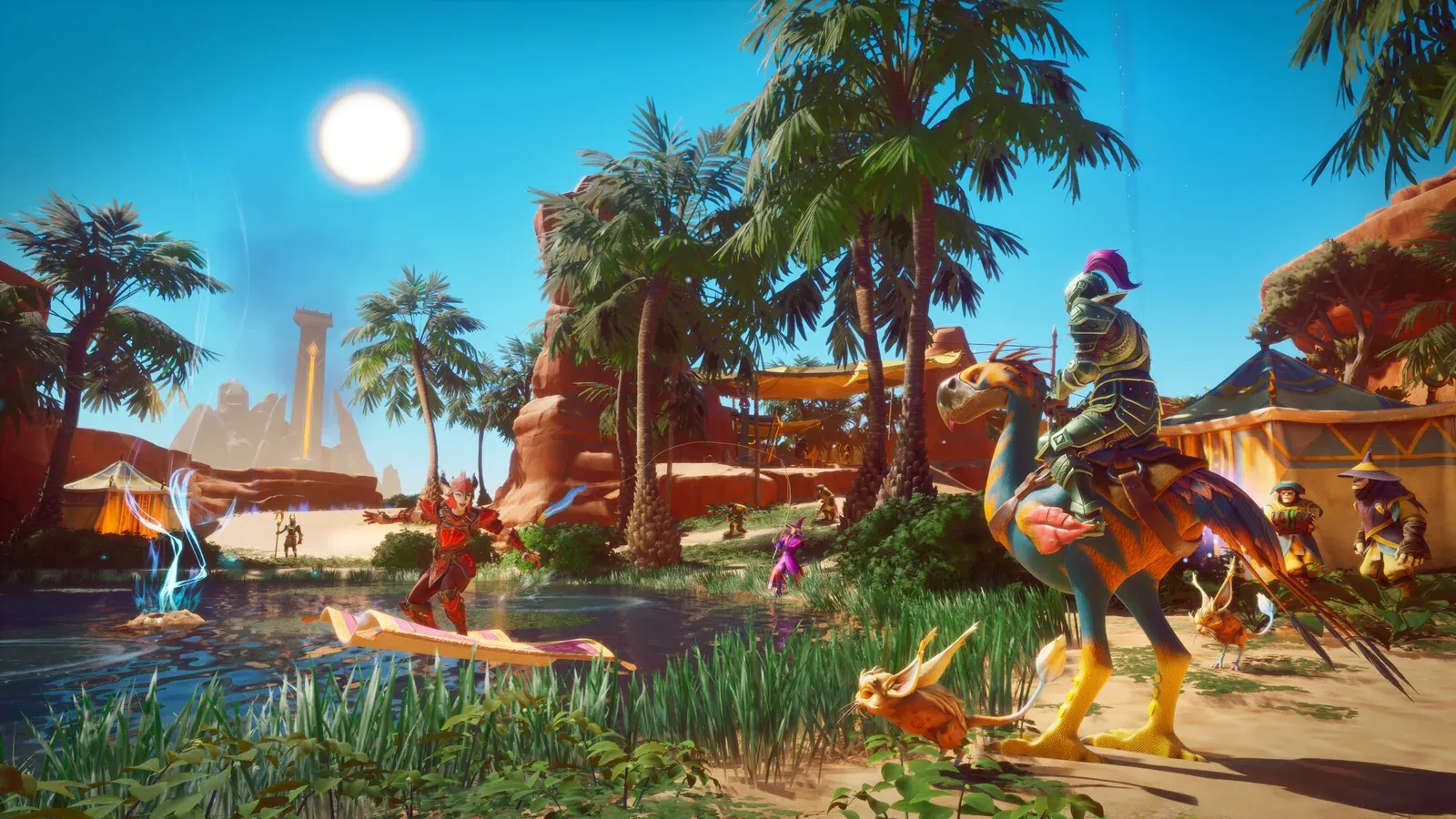
After 1.0, the game runs on PC, PlayStation 5, Xbox Series X|S and Nintendo Switch 2.
Crossplay works, but it is not on by default. The host decides per world, every time they host.
A world holds up to 4 players. Solo play is fully supported.
Where to buy it
| Platform | How to get it | Notes |
|---|---|---|
| PC | Steam, Epic Games Store, Jagex Launcher | Windows only. Steam lists partial controller support |
| PlayStation 5 | PlayStation Store; included with PS Plus Extra / Premium at launch | A physical PS5 edition exists (5 November 2026) |
| Xbox Series X/S | Microsoft Store; included with Game Pass Ultimate / Premium / PC Game Pass | Cloud play supported; physical Xbox Series X edition announced |
| Nintendo Switch 2 | Nintendo eShop | Nintendo published a Switch 2 launch trailer |
Two things to know up front. There is no Mac or Linux version; the Steam store page only lists Windows. There is also no word on mobile.
How to enable crossplay
Crossplay is a world setting, not an account setting.
- When you host or load a multiplayer world, turn crossplay on in the options.
- Crossplay worlds appear in the world browser, so anyone can search for them and join.
- The easier route is an invite code. The host can see it in the pause menu. Send it to a friend and they enter it in the world browser screen.
- Dedicated servers have a crossplay option too, which suits a regular group.
If the host leaves crossplay off, PC and console players simply cannot join each other. The game supports crossplay; not every world has it enabled.
The current catch: Switch 2 and the Jagex Launcher
The 1.0.0.4 patch (18 September 2026) came with one temporary limit: Nintendo Switch 2 and Jagex Launcher players cannot take part in crossplay until each platform finishes verifying that patch. The versions have to match before worlds show up for each other.
In practice, a Steam player who has already updated cannot see or join a Switch 2 player’s world, and the other way around. If your friend’s world never appears on Switch 2, check both version numbers first - it is not a setting you got wrong. The same applies to dedicated servers hosted through the Jagex Launcher.
Recovery depends on each platform’s review queue. This page follows the official patch note.
Xbox and PC: one privacy toggle before any world appears
Jagex has repeated this twice in the 1.0 known-issues updates: Xbox and Windows PC players must set the system privacy option “You can see and upload community creations” to “Everyone” before the online world browser shows anything.
If you can host a world but cannot see your friends’ online worlds, check that first. One more official known issue while you are in there: PlayStation players can crash when joining some crossplay worlds through an invite - use the world browser search instead of repeated invites.
How many players fit in a world
- Co-op: up to 4 players.
- Solo play is always available, and it is the only mode you can pause.
- Multiplayer worlds have build protection, so other players cannot freely edit your base.
Official system requirements
| Minimum | Recommended | |
|---|---|---|
| OS | Windows 10 (64-bit) | Windows 10 (64-bit) |
| CPU | Intel Core i3-8100 or AMD Ryzen 5 1600 | Intel Core i5-10600 or AMD Ryzen 5 3600 |
| RAM | 8 GB | 16 GB |
| GPU | GTX 1060 6GB / RX 5600XT / Arc A750 8GB | RTX 2070 6GB / RX 5700 XT 8GB |
| DirectX | 12 | 12 |
| Storage | 25 GB | 25 GB, plus broadband |
Weak hardware costs you more than looks here. The game gates progress with Power Level, so under-levelled gear gets you killed in higher regions. Low frame rates make that worse, not better.
Which languages the game supports
The Steam store page lists ten: English, French, Italian, German, Spanish (Spain), Spanish (Latin America), Portuguese (Brazil), Simplified Chinese, Japanese, Korean and Traditional Chinese.
For Chinese-speaking players the short answer is that Simplified Chinese is built in, so no fan patch is needed. This wiki publishes in the same language set: English, Simplified Chinese, Traditional Chinese, Portuguese, German, Spanish, French, Japanese, Russian and Korean.
Cross-progression is still unannounced
The community keeps asking whether PC progress carries over to console.
As of 17 September 2026, Jagex has only said that worlds can enable crossplay. It has not said that characters, saves or progress transfer between PC and console.
So neither answer is confirmed. Plan for separate progress until Jagex says otherwise.
Sources
- Jagex, “Our 1.0 Release is live!”: https://dragonwilds.runescape.com/news/launch (15 September 2026)
- Jagex, “Dragonwilds’ Price Isn’t Changing.”: https://dragonwilds.runescape.com/news/ea-pricing (2 September 2026)
- Official 1.0 update video, “Our Early Access Journey Is Coming to an End”: https://www.youtube.com/watch?v=HuEqe0JigCM (15 September 2026)
- Steam store page (editions, price, system requirements, review counts, supported languages): https://store.steampowered.com/app/1374490/RuneScape_Dragonwilds/
- Jagex patch notes, “Eye on Ashenfall | 1.0.0.4 Patch” (Switch 2 and Jagex Launcher crossplay limit): https://steamcommunity.com/games/1374490/announcements/detail/1844115010495925 (18 September 2026)
- Jagex, “1.0 Known Issues List and Update” (Xbox and PC privacy setting, PlayStation invite crash): https://redd.it/1whtisk (16 September 2026)
- Jagex, “The RuneScape Company Expands RuneScape: Dragonwilds In Asia”: https://www.jagex.com/news/jagex-the-runescape-company-expands-runescape-dragonwilds-in-asia-through-landmark-publishing-partnerships (23 June 2026)